
Ford MyKey® is a built-in feature available on many Ford vehicles that lets you program a dedicated key with specific driving restrictions. It's designed to give vehicle owners more control, particularly when handing the keys to a younger or less experienced driver. Whether you're a parent in Midland, Michigan, a fleet manager, or just someone who wants added peace of mind, Ford MyKey® puts customizable limits right at your fingertips.
How Ford MyKey® Works
When you set up Ford MyKey®, that key's driver profile activates automatically whenever that key is used to start the vehicle. The system allows you to set a top speed limit, maximum audio volume to reduce distraction, and enable persistent safety alerts. For example, you can ensure that Ford Co-Pilot360® safety technology features like Forward Collision Alert and Lane Departure Warning stay active throughout the drive. The administrator key—the one without restrictions—is the only key that can adjust or remove those settings.
How to Set Up Ford MyKey®
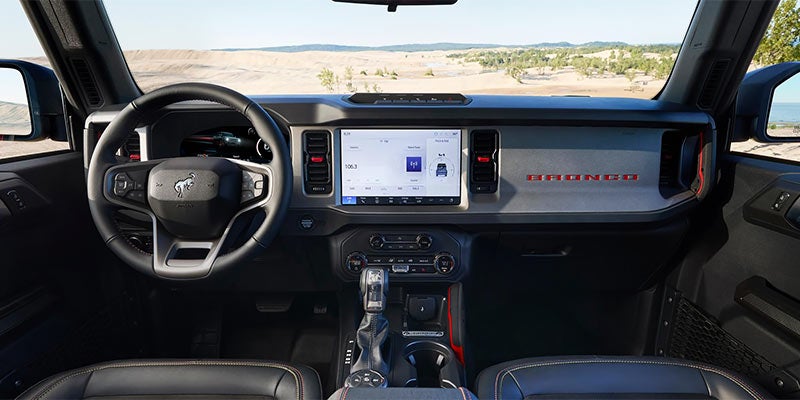
Learning how to set up Ford MyKey® is straightforward. Using your Ford’s infotainment display, navigate to the MyKey® menu through the Settings or Driver Assistance section. From there, you can create a MyKey® by holding the OK button while the MyKey® setting is highlighted. The system will confirm that the key in the ignition has been programmed. You can then customize the available restrictions to fit your preferences. To check or change settings later, you simply access the same menu with the administrator key in the ignition.
What Limits Can You Set with Ford MyKey®?
Ford MyKey® gives you a solid range of configurable options. You can set top speed warnings or hard limits in select vehicles, restrict the audio system volume to a percentage of maximum output, and ensure that safety belt reminders and other alerts cannot be dismissed. Some compatible vehicles also allow you to disable certain entertainment features until seat belts are buckled. These settings help reinforce safe habits without requiring you to be in the passenger seat. Knowing how to set up Ford MyKey® means you can tailor the experience to your specific situation.
Who Benefits Most From Ford MyKey®?
Ford MyKey® is most commonly used by parents who share a vehicle with a teenage driver, but its usefulness extends beyond that. Anyone managing a shared vehicle benefits from having control over how that vehicle is driven when they're not behind the wheel. Drivers in Midland, MI who regularly share their vehicle with family members or new drivers may find this feature especially practical, as well as fleet managers who want to ensure their team is driving safely and within parameters. It's a straightforward way to encourage responsible driving without relying solely on conversation.
Visit Midland Ford to Learn More
If you're interested in exploring vehicles equipped with Ford MyKey®, the team at Midland Ford is ready to help. You can browse available inventory, ask questions about compatible models, and get a hands-on look at how the feature works. Drivers throughout Midland, MI are welcome to visit or reach out online at https://www.midlandford.com to find the right vehicle for their needs.
Ford MyKey® Makes Shared Driving Simpler
Ford MyKey® is a practical, easy-to-use tool that puts meaningful control in the hands of vehicle owners. From learning how to set up Ford MyKey® to customizing driving limits that fit your household, the process is designed to be simple and effective. If you want a vehicle that works for every driver in your life - on your terms - Ford MyKey® is worth a closer look.